


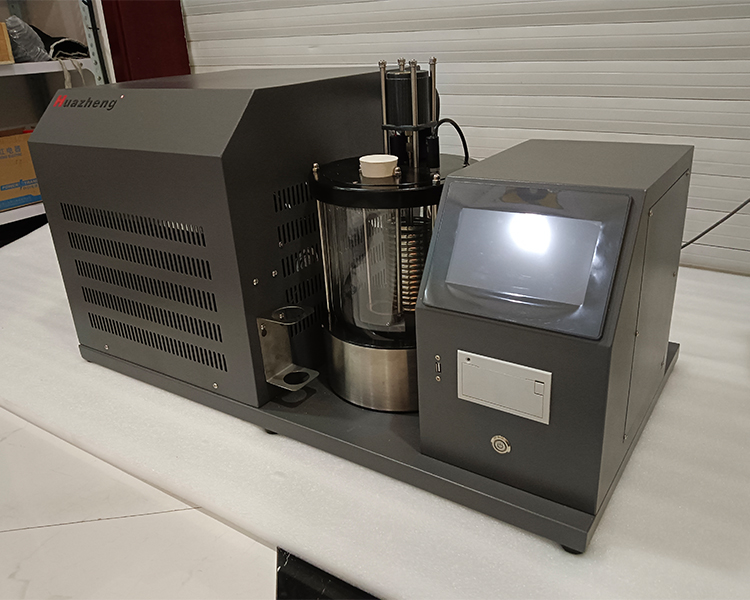
Freezing Point Tester adopts a 7-inch true color touch screen combined with an embedded system (not an external industrial PC). This design choice is not a common practice in laboratory instruments, but rather a trade-off for actual laboratory usage scenarios.
The difference between embedded systems and external PCs
External PC solution: The instrument body only performs sensor acquisition and control, and data is transmitted to an external computer through USB or serial port. Software is run on the computer to display data and store results. This solution is common in large instruments with high analytical complexity, such as gas chromatographs and mass spectrometers. The software is powerful, but it relies heavily on computers and requires complex maintenance.
Embedded system solution (adopted by Freezing Point Tester): Measurement control, data processing, interface display, and historical data storage are all completed internally within the instrument, without relying on any external computer. Ready to use upon startup, no need to install drivers or maintain external software environment, especially suitable for production quality inspection laboratories without professional IT maintenance capabilities.
The actual functions of a 7-inch touch screen
Real time display of the main interface: numerical values of sample temperature and cold bath temperature, as well as the curves of both over time. The operator can observe the temperature drop trend in real time to determine whether the test progress is normal, without the need to continuously wait next to the instrument.
Four functional areas:
Main interface: Real time temperature display and curve, expected freezing point setting, experimental result display, start/stop button
Parameter settings: Date and time modification, temperature calibration (sample and bath temperatures can be independently calibrated), sample number
System settings: manually switch heating, cooling, and stirring devices for debugging and instrument status checks
Historical data: query all historical measurement records (time, date, number, expected freezing point, experimental freezing point)
Important operation restriction: Parameters cannot be changed after starting
Special reminder in the manual: After clicking the "Start" button, the instrument automatically closes the parameter settings, system settings, and viewing permissions for historical data to prevent accidental modifications during the experiment that may affect the measurement.
Therefore, all parameters (expected freezing point, sample number, time date) must be confirmed before clicking "start". Once started, they cannot be changed and can only be processed after the experiment is completed.